Solid modeling
Shapes, unions, subtractions, cuts, chamfers and fillets. Parts always stay watertight.
Try it in the editor →Dedalo3D is a web 3D editor to build solids, assemble mechanisms that really move and export to STL or 3MF; and your own AI agent can design alongside you.
Each tool covers one part of the journey: from the sketch to the part that comes out of the printer.
Shapes, unions, subtractions, cuts, chamfers and fillets. Parts always stay watertight.
Try it in the editor →Gears, pulleys, hinges, springs, pistons and motors that really move.
Try it in the editor →Finds thin walls, overhangs and collisions between parts before you print.
Try it in the editor →Bring your STL, 3MF, SVG or DXF files and export your parts to STL or 3MF.
Try it in the editor →Connect your agent over MCP and ask it to design, adjust or review parts for you.
Try it in the editor →The Business plan adds up to 50 members, unlimited projects and priority on heavy jobs.
See BusinessThe editor comes with examples you can open, move, modify and export.
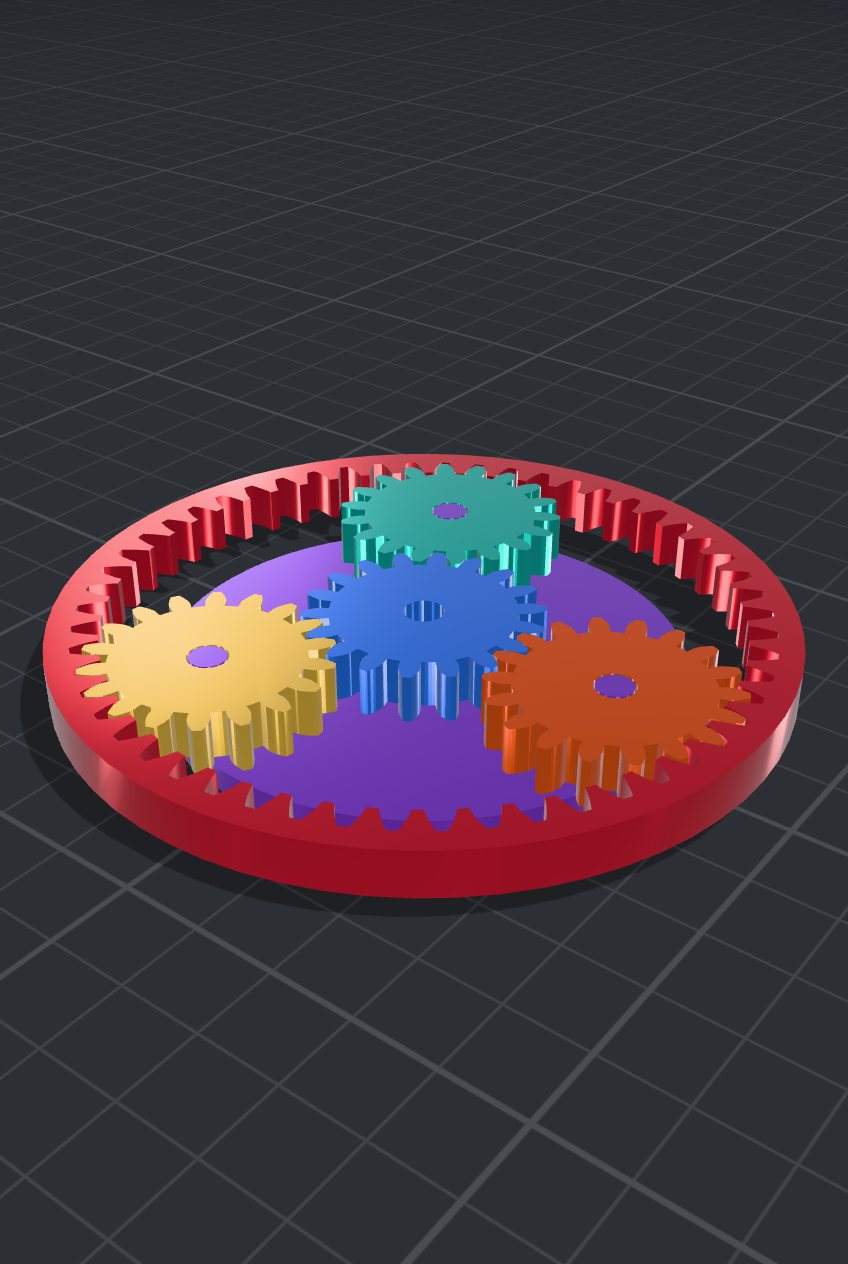
Sun, three planets and a fixed 54-tooth ring: the carrier comes out with a 4 to 1 reduction.
Connect Claude, ChatGPT or Cursor over MCP: the agent uses the same tools you do and you watch every step live.
Free, with 2 projects to get started.
Start from scratch, from an example or import your STL. Or ask the agent.
Check walls, overhangs and collisions before printing.
Export to STL or 3MF and send it to your printer.
Start for free. Change or cancel anytime.
Free forever
To try the 3D editor
From $6.58/mo, billed yearly
For your first designs
From $10.75/mo, billed yearly
For serious design, with your AI agent
From $29.08/mo, billed yearly
For teams and workshops
No. Dedalo3D runs in your computer's browser.
Yes. The Free plan includes 2 active projects and STL export, with no time limit.
You can import STL, 3MF, SVG and DXF, and export to STL (all plans) or 3MF (Pro and Business).
Dedalo3D has no AI of its own: you use the one you already have. In the editor you get an MCP link and add it to your agent (for example Claude). From there the agent can create and modify parts in your project. Available on Pro and Business.
Yes. When you cancel you keep the plan until the end of the paid period, and nothing you made is deleted.
Yes. We email you an activation code to use in any organization you like.
Create your free account and open the editor. No card and nothing to install.